Are you ready to take your crochet skills to the next level? This article will guide you through the best crochet apps. You’ll learn how to find patterns, master techniques, manage your yarn, and connect with other crafters. It’s like a tour of the top crochet apps, showing you how to save time and yarn.
In the United States, we’ll share app recommendations and practical tips. You’ll discover apps for finding patterns and learn how to improve your projects. We’ll also show you how to keep your work organized on both your phone and tablet.
Small changes can make a big difference. For example, SweetGeorgia School found that paying attention to details like yarn over direction can improve your work. Even experienced crocheters can see improvements by practicing with lessons from a crochet app.
Being part of a creative community can really help you grow. Daily challenges on social media, like “April Challenge Day 30 – Frog,” encourage you to try new things. Many crocheters use Instagram to share their work, find inspiration, and join challenges.
Key Takeaways
- crochet apps help you find and organize patterns quickly.
- The best crochet apps pair tutorials with practical tools like row counters.
- A crochet app review can reveal time-saving features before you subscribe.
- Revisiting basics (per SweetGeorgia School) improves gauge and yarn use.
- Community challenges and Instagram posts keep creativity flowing.
Why Crochet Apps Are a Game-Changer for Your Craft
Apps turn a messy pile of papers into a neat, organized space in your hand. They make finding patterns easy, like shopping online. No more digging through pages.
How apps streamline pattern discovery and organization
Apps let you search by yarn weight, skill level, or type of project. This makes finding the right pattern quick and easy. You can keep all your ideas and projects in one place, so nothing gets lost.
Saving time with digital stitch libraries and tutorials
Apps have stitch libraries and short video tutorials. They help you remember stitches and keep your project moving. No more pausing to figure out a step.
Connecting with communities: forums, challenges, and inspiration
A good crochet app connects you with others. You get feedback, support, and ideas for projects. It’s a place to share your work and get inspired by others.
| Feature | What it Saves You | Why It Matters |
|---|---|---|
| Advanced Search & Tags | Minutes per pattern hunt | Makes pattern discovery efficient and repeatable |
| Stitch Libraries & Videos | Time spent watching long tutorials | Instant reference for technique and correction |
| Row Counters & Timers | Lost progress and counting errors | Improves pace and reduces frogging |
| Community Forums | Isolated problem-solving | Access to tips, feedback, and shared inspiration |
| Challenge Features | Creative blocks | Motivates through crochet challenges and themed events |
What to Look For in the Best Crochet Apps
When looking for a crochet app, think about what makes your work easier. Look for features that make reading patterns simple. Also, ensure your work is safe across devices and has tools for measuring and tracking every stitch.
User interface and pattern readability on mobile devices
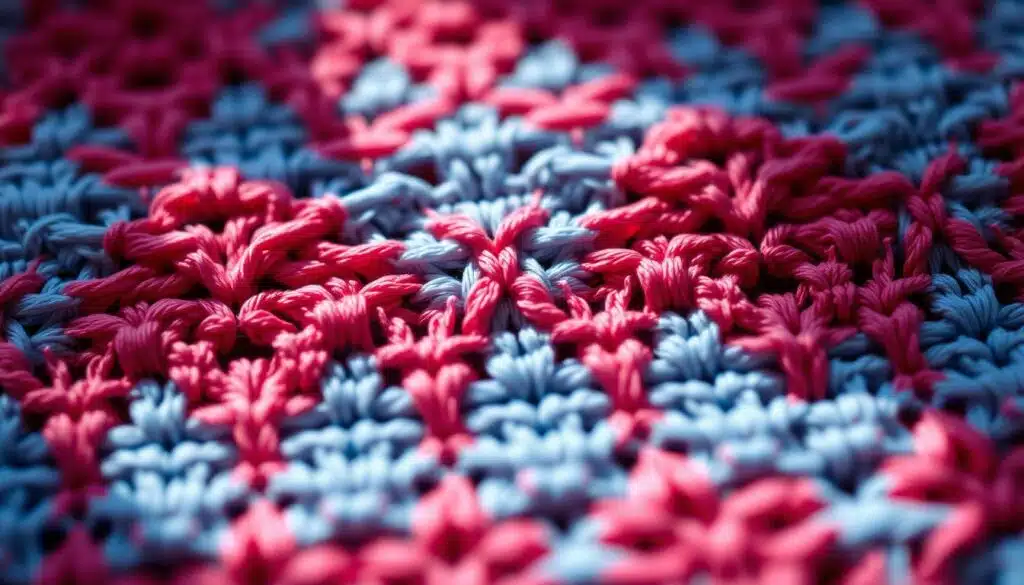
Your app should display patterns clearly on phones and tablets. Choose apps with adjustable font sizes and preserved chart formatting. Smart line spacing is also key to avoid misreading stitch counts.
Good pattern readability saves you time and frustration. Apps like Ravelry and LoveCrafts keep abbreviations intact and display schematics cleanly. This way, you can work without squinting.
Offline access, pattern syncing, and project backups
A reliable offline crochet app lets you download patterns and tutorials for flights, parks, and slow Wi‑Fi days. Make sure the app also syncs projects across devices and stores backups in the cloud.
This way, your notes and progress follow you when you switch phones. Losing a project file because of a phone swap is avoidable with the right syncing features.
Customization features: row counters, gauge calculators, and timers
Customization keeps complex projects manageable. Use a row counter app that fits into your workflow, offers multiple counters per project, and saves counts with project notes.
A built-in gauge calculator transforms your swatch into real numbers. Enter stitch and row gauges to get recommended stitch counts and yardage. This helps you dodge costly mistakes.
| Feature | Why it matters | What to test |
|---|---|---|
| Pattern readability | Prevents misreads that ruin gauge and shape | Open charts, abbreviations, and page breaks on small screens |
| Offline crochet app support | Ensures you can stitch anywhere | Download a pattern, then disable Wi‑Fi and open it |
| Syncing & backups | Protects notes when you change devices | Create a note, sync, and open on another device |
| Row counter app tools | Keeps accurate progress and repeat tracking | Use multiple counters and resume after closing app |
| Gauge calculator | Translates swatch to pattern adjustments and yardage | Input swatch data and compare suggested stitch/row counts |
| Export & print fidelity | Preserves charts and notes for paper use | Export PDF and verify charts, headings, and annotations |
Top Crochet Apps for Patterns and Tutorials
Choosing the right app makes your crochet projects easier. Look for apps with good search, clear previews, and easy purchases. This way, you can start your project without dealing with PDFs or email receipts.
Apps with large pattern libraries and search filters
For variety, choose a pattern library app with lots of patterns. It should have filters for skill level, yarn weight, and size. This helps you find the perfect pattern quickly. You can also bookmark and organize your projects with photos.
Video-first apps for step-by-step stitch tutorials
Visual learners should pick a crochet tutorial app with HD videos. These videos break down complex stitches into easy steps. Look for apps that let you slow down videos and save your favorites.
Apps with designer and indie pattern marketplaces
Supporting indie designers is important for unique patterns. An app with an indie marketplace offers exclusive designs. You can see photos, read reviews, and check yardage before buying.
Good apps make buying patterns easy and organize your library. You can add swatch photos and notes to each pattern. This helps you choose patterns that fit your gauge and stash.
Crochet apps that help with Gauge, Yardage, and Yarn Management
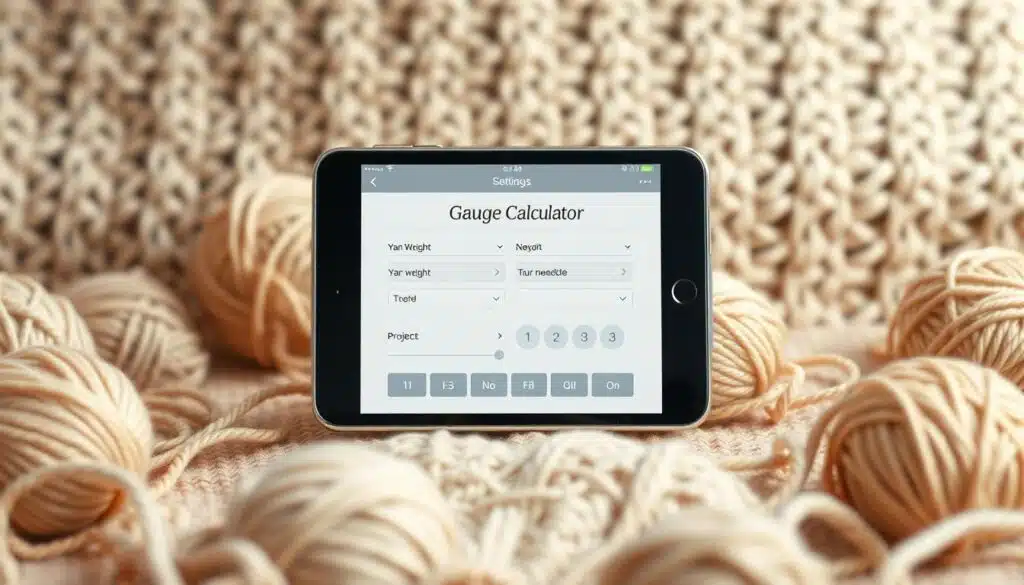
Want projects that fit and use the right yarn? A few tools can save you from trouble and extra yarn shop trips. Use a gauge calculator app to track swatch measurements. It gives you instant advice on hook size or stitch count changes.
Practical tests from SweetGeorgia show how changing yarn overs can affect gauge. The right app helps you catch this before you waste too much yarn.
Yardage estimates are key for big projects. A good app will turn swatch weight and stitch count into yardage needs. This helps you avoid running out of yarn mid-project.
Keeping yarn details organized makes planning easier. A yarn inventory app tracks brand, colorway, weight, and yardage left. Add swatch photos and wash notes to remember how fibers behave.
Use project trackers to log every experiment. Note front-to-back versus back-to-front yarn over, weigh swatches, and attach images. Over time, you build a reference that links technique to gauge and appearance.
If you prefer a dedicated tool, check StashBot on the App Store: StashBot – Knitting & Crochet. It offers a basic gauge range, yardage outputs, and stash-friendly features for iPhone users running iOS 13.0 or later. The one-time price is simple compared to subscription apps.
Short lists help you choose quickly:
- Gauge calculator app: enter swatch size, get hook and stitch adjustments.
- Yarn yardage estimator: convert swatch weight to project needs in yards or meters.
- Yarn inventory app: catalogue brand, colorway, and remaining yardage with photos.
- Stash management: tag fibers by project, washing notes, and preferred tension.
Social and Community-Focused Crochet Apps
You want a place where your projects get noticed, your questions get answered, and your creativity stays fueled. A strong crochet community app turns solitary stitching into a social hobby. It pairs tools for progress tracking with spaces for friendly critique and celebration.
Challenge-style prompts to spark quick wins
Look for apps that run month-long or daily prompt series. These crochet challenges push you to try small projects and build habit. Daily prompts feel like playful assignments, and finishing micro-projects boosts skill without a major time sink.
Share photos and show your timeline
Good platforms let you share crochet progress with high-quality photos and step-by-step timelines. Tagging, captions, and project metadata make it easy to catalog work and let others search your makes. When you share crochet progress, followers can cheer, ask questions, and save ideas for later.
Peer feedback in focused mini-forums
In-app threads and targeted Q&A let you ask about stitch direction, gauge issues, or finishing techniques. A moderated crochet forums app keeps conversations on-topic and supportive. Experienced makers offer precise tips so you can fix errors and learn faster.
Cross-posting and discoverability
Choose apps that export images or post directly to Instagram. Cross-posting helps you reach wider audiences while retaining project details inside the app. That combination grows your profile and funnels friends back to the community hub.
Community norms and healthy moderation
Active moderation matters. Platforms that enforce clear guidelines reduce spam and keep feedback constructive. When moderation works, you get helpful threads, kinder critiques, and a more pleasant place to engage.
Apps That Teach Techniques and Improve Your Crochet Skills
Choose an app that feels like a patient teacher and a smart coach. A good crochet lessons app teaches you the basics, like how to hold yarn and the yarn over direction’s effect on tension. Short lessons let you replay moves until you get it right.
Look for a learn crochet app with structured paths and small practice sessions. You need clear videos, slow motion, and step-by-step checks to avoid mistakes. These features help turn a confusing stitch sequence into muscle memory.
Step-by-step lessons for basics like yarn over direction
Lessons that break down the yarn over technique into small steps help you progress faster. You learn how different wraps change stitch size and slant, and you can compare swatches side by side. Apps that let you document measurements and photos help you track what works for your yarn and hook choice.
Advanced technique modules: tapestry, shaping, and texture
Advanced modules should include a tapestry crochet tutorial, shaping demos, and texture-building exercises. Multi-angle video, pattern overlays, and slowed frames clarify color carries and missed floats. The best apps pair lessons with practice projects so you apply techniques in real pieces.
Why revisiting basics (like yarn over wrapping) can change your gauge
Revisiting fundamentals pays off. Simple changes to your yarn over technique can shift stitch and row gauge, yarn usage, and fabric drape. Apps that encourage swatching, weighing, and measuring make those shifts obvious and useful.
Try a hands-on app such as YarnPal for guided help, pattern fixes, and instant coaching. It offers photo-based stitch ID, step-by-step patterns, and AI tools that suggest fixes when your swatch disagrees with the pattern.
| Focus Area | What Good Apps Offer | Why It Helps You |
|---|---|---|
| Basics | Short lessons, repeatable clips, swatch tracking | Builds consistent tension and predictable gauge |
| Technique Labs | tapestry crochet tutorial, shaping drills, texture lessons | Teaches complex moves with visual clarity |
| Practice Tools | Weighing logs, photo compare, measurement notes | Shows how small changes affect finished pieces |
| Feedback | AI Coach, community review, pattern correction | Helps catch mistakes and refines technique fast |
How to Choose the Right Crochet App for Your Projects and Skill Level
Choosing a crochet app is like picking yarn. It’s exciting but can feel overwhelming. First, think about the projects you want to make and what tools you need. For sweaters and cardigans, look for apps with advanced tools like gauge calculators and yardage estimators.
For smaller projects, apps with quick pattern search, timers, and tutorials are perfect. These tools help you work efficiently and learn new stitches.
Matching features to project type
For garments, focus on apps that help with measurements and adjustments. The best apps for garments offer tools like pattern resizing and stitch-per-inch calculators. They also provide clear schematic exports.
Before trusting these tools, test them with a known swatch. Compare the results to the SweetGeorgia swatch to ensure accuracy. This step is key for large projects.
Trial periods, pricing model, and content access
Use trial periods to see how well the app reads patterns on your device. Check if the video quality is good enough for you. A freemium app lets you explore patterns without paying upfront.
Be mindful of in-app purchases and marketplace fees. These can add up, so it’s important to know what you’re getting into.
Cross-device syncing and platform support
Choose a cross-platform app if you switch between devices during a session. Apps that sync well keep your progress safe. This way, you can work on your project anywhere, without losing your place.
Look for apps that support both iOS and Android. Also, check if they offer cloud backup to prevent losing your work.
Community support is important for feedback and inspiration. If you like challenges and support, choose apps with active forums. If you prefer to work alone, look for apps with offline access and good pattern management.
Test different apps to see which one works best for you. Try a freemium app first, then upgrade if it’s worth it. For more ideas and user experiences, check out a curated post on Lemon8: crochet app roundup.
Tips and Tricks to Get the Most Out of Your Crochet Apps
Make your app habit smart and practical. Start by exporting patterns into clean PDFs. This keeps charts, repeat markers, and row numbers clear. Before printing, check the preview to avoid missing important details.
Swatch, document, repeat. Use a swatch notes app to log photos, grams used, and measurements. Record technique tweaks to avoid surprises in gauge and yardage.
Annotate patterns inside the app for future wins. Note any changes like hook swaps or yarn substitutions. These quick decisions save time when you return to a pattern.
Pair screen learning with hands-on practice. Bring app swatches to in-person meetups. Local crochet guilds welcome detailed notes and visuals, making feedback precise and fast.
Stay motivated with social prompts and daily challenges. Join in-app prompts or Instagram-style threads. Your project page fills with progress photos that feed creativity and build a helpful archive.
Use this quick reference to decide which action to take when exporting, testing, or sharing your work.
| Action | Why it matters | Quick tip |
|---|---|---|
| Export as PDF | Preserves charts, abbreviations, and layout for clean prints | Use landscape for wide diagrams and check margins in preview |
| Record swatch photos | Visual reference helps match gauge after washing or blocking | Label each photo with hook size and yarn weight in your swatch notes app |
| Annotate patterns | Captures substitutions and hook adjustments for repeatability | Add expected yardage changes next to the pattern title |
| Bring notes to meetings | Gets targeted feedback from peers and experienced members | Share a printed swatch and app screenshots with crochet guilds |
| Join daily challenges | Keeps skills sharp and supplies content for your project log | Post short progress shots and a one-line technique note each day |
Conclusion
Choosing the right app is key. This summary shows how apps can improve your crochet skills, manage projects, and connect you with others. Try out a few free trials to see which one works best for you.
Small changes in technique can make a big difference. For example, changing how you hold the yarn can affect your project’s look and feel. Use apps to track your progress and ensure your projects turn out right.
Keep track of your swatches and join online challenges to improve your skills. Apps can help you count rows and calculate gauge. This makes learning easier and more enjoyable.
Let your apps handle the details so you can enjoy the process. Focus on creating, relaxing, and sharing your work on social media.
FAQ
What makes crochet apps worth using instead of just searching patterns on Instagram or Ravelry?
Crochet apps offer a vast library of patterns with filters for yarn weight and skill level. They also have tag-based organization and in-app bookmarking. This way, you can easily find and save your favorite patterns.
These apps come with stitch libraries, video tutorials, and tools like row counters and timers. They also have gauge calculators and project notes. This makes it easier to work on your projects without interruptions.
Many apps also let you share your crochet progress on Instagram. This connects your inspiration with a reliable record of your projects.
How do apps help me avoid gauge and yardage disasters?
The best apps have built-in gauge calculators and yardage estimators. You can input your swatch measurements and get stitch/row adjustments and hook-size suggestions. They also estimate the yardage you’ll need.
This mirrors the findings of SweetGeorgia’s swatch experiments. They show how small technique changes can affect stitch gauge and yarn usage. Use the app to document your swatches and compare predicted vs. real results.
Can crochet apps actually speed up my workflow?
Yes, they can. Digital row counters, timers, and embedded video tutorials reduce interruptions. Instead of searching for tutorials, you can tap a built-in demo.
Offline downloads and cross-device syncing let you stitch anywhere. You can review charts on a tablet without hunting for files. This saves time and keeps your rhythm.
Do apps help with learning technique, or are they only for pattern storage?
Many apps offer both. Look for video-first platforms with structured lesson paths. They teach basics like yarn handling and stitch sequences.
They also have advanced modules for tapestry crochet and shaping. These lessons pair well with formal material like SweetGeorgia’s Crochet Basics. They help you understand how small changes affect your fabric and fit.
What should I check for in app readability and UI?
Look for clear typography, adjustable font sizes, and pattern formatting. Poor readability can ruin a project if you misread a stitch count.
Test pattern previews, zoom behavior on charts, and whether printed or exported PDFs keep row numbers and repeat indicators intact.
Are there apps that support indie designers and let me buy patterns in-app?
Yes, many apps host designer and indie marketplaces. You can preview, purchase, and download patterns within the app. They add purchased patterns to your library and allow bookmarking, notes, and swatch photos.
This lets you vet fits and yarn needs before committing. It’s a convenient way to support indie designers.
How do community features in apps compare to Instagram groups?
In-app communities often have moderated forums, challenge mechanics, and project galleries. They offer craft-focused feedback. Instagram is great for inspiration and broad discoverability.
Apps keep project metadata, notes, and progress timelines intact. This makes long-term reference easier.
What kinds of challenge features should I look for?
Look for apps with month-long or daily-prompt mechanics, progress badges, and community galleries. These features encourage regular practice and spark ideas.
Participating helps build skills, generates content for Instagram, and keeps you accountable.
Can crochet apps manage my stash and swatches effectively?
Good apps let you catalog yarn brand, colorway, weight, and yardage. You can add swatch photos, grams, and wash/block notes. This helps match yarn to patterns and track consumption.
Stash organization paired with swatch records prevents mid-project surprises.
How reliable are app gauge calculators compared to real swatches?
App calculators are only as good as the data you provide. Use a measured, weighed swatch to test the app’s outputs. Try the app’s calculator against your swatch before relying on it for large garments.
This quick test tells you if the app’s math matches your hands.
What export and printing features should I expect?
Expect PDF export that preserves charts and abbreviations, print previews that show full repeats and row numbers, and options to include your project notes and swatch photos. Verify that exports don’t crop critical chart markers or omit repeat indicators before you print for offline stitching.
How do apps support experimentation with technique (like different yarn over directions)?
Apps let you document technique experiments by saving swatch photos, weights (grams), stitch/row counts, and washing results. You can attach notes about front-to-back vs. back-to-front yarn over and compare outcomes.
This living record helps you decide which technique to use for a specific pattern and avoids repeating mistakes.
Which app features are most important for making garments versus small accessories?
For garments, prioritize advanced gauge tools, scaling helpers, yardage estimators, and pattern scaling. For smalls and accessories, quick pattern search, timers, portable tutorials, and easy bookmarking often suffice. Match feature priorities to project type.
Are there privacy or moderation concerns I should consider?
Yes. Look for apps with active moderation and community guidelines to reduce spam and keep feedback supportive. If you prefer a private library, choose apps focused on pattern management and offline access.
What’s the best way to test an app before paying?
Use trial periods to check readability, offline access, syncing, video quality, and whether the pattern library fits your needs. Test gauge and yardage features with a real swatch (weigh and measure) and try exporting a PDF to ensure charts survive printing.
This trial will reveal whether the paid tier is worth it.
Can I sync my projects across devices and platforms?
Top apps offer cross-platform syncing across iOS, Android, and tablets, plus cloud backups. This ensures notes, photos, and pattern changes follow you when you switch devices and prevents lost project data when you upgrade your phone.
How do I use apps to combine digital learning with hands-on classes or guild meetings?
Bring app-swatches, measured and weighed, to meetings. Use app notes to document instructor feedback, and incorporate in-person tips into your project records. Apps make sharing clear photos and measurements easy.
This way, you get specific, evidence-based advice during face-to-face sessions.
What practical steps should I take to start using a crochet app effectively?
Start by downloading an app with a free trial. Create a swatch, measure and weigh it, and enter the data into the gauge calculator. Catalog your yarn and take swatch photos.
Bookmark one pattern and add project notes. Join a community challenge to practice consistently. Repeat this cycle to build reliable, documented habits that save time and frustration.
Will these apps help me share work on Instagram without losing pattern data?
Yes. Many apps let you export high-quality project photos and metadata or share directly to Instagram. This preserves your project history in-app while giving you the social reach to show off progress, tag challenges, and attract feedback.